Top Password and Security Software for 2025: Expert Selections
In today’s digital world, protecting your personal data has never been more critical. From passwords and financial information to personal documents, a single breach can compromise your privacy and security. Choosing the right security software or password manager ensures that your data remains safe across all your devices, while also simplifying daily tasks like logging into accounts or monitoring potential threats.
This guide highlights some of the most popular and highly rated solutions currently available in 2025. Each product combines advanced encryption, ease of use, and additional features such as VPNs, ransomware protection, password auditing, and identity monitoring. Whether you need a dedicated password manager, a comprehensive antivirus suite, or a multi-device security package, these selections have been vetted to meet a range of personal and family needs.
By focusing on user experience, security robustness, and cross-platform compatibility, this guide helps you make informed decisions without the guesswork. Every product included has a proven track record, numerous positive reviews, and offers features designed to protect both beginners and advanced users.
Selection Criteria
To create this list, we focused on several key criteria:
-
Security & Encryption: Each product uses industry-standard, end-to-end encryption to ensure that your data is inaccessible to unauthorized parties. Products with zero-knowledge architecture were prioritized.
-
Ease of Use: User-friendly interfaces, intuitive setup, and seamless syncing across multiple devices were considered essential for everyday practicality.
-
Feature Set: We selected products offering essential and advanced features such as password managers, VPNs, ransomware protection, secure file storage, and identity monitoring.
-
Multi-Device Support: Given today’s connected lifestyle, solutions supporting multiple devices — whether PCs, Macs, or mobile devices — scored higher.
-
User Reviews & Reliability: Products with extensive positive feedback on Amazon and other platforms were included to ensure both quality and trustworthiness.
-
Value for Money: We assessed each product’s feature-to-cost ratio, ensuring that users receive robust protection without unnecessary expense.
Overviews
1Password


1Password is a mature, feature-rich password manager designed for individuals, families, and teams. It uses zero‑knowledge encryption and supports cross-platform syncing, biometric unlock, passkeys, and secure sharing. Experts consistently rate it as one of the best overall password managers due to its balance of usability, security, and robust features.
Pros
-
Strong security: 1Password encrypts data end‑to‑end and uses AES‑256, meaning only you can access your master vault.
-
Passkey support: It supports modern authentication methods like passkeys, which future-proofs your vault.
-
Multiple vaults and sharing: You can maintain separate vaults (e.g., personal vs. work) and securely share credentials with others.
-
Cross-platform: Works on Windows, macOS, Linux, iOS, Android, and browser extensions.
-
Business‑grade management: Their enterprise tier supports SSO, role-based access, and detailed security controls.
Cons
-
Subscription cost: Unlike some budget or open‑source alternatives, 1Password requires a paid plan after the trial.
-
No fully free tier: There’s no permanent free version; only a 14-day trial is offered.
-
Master password risk: If you forget your master password (or “Secret Key”), recovery is limited — because of its zero‑knowledge design.
-
Amazon presence limited: On Amazon.com, you’re more likely to find books or guides about 1Password, not the software license directly, which may limit how you purchase it via Amazon.
Take Control of 1Password/h3>

Take Control of 1Password, 6th Edition is a practical, in-depth guide (190 pages) written by Joe Kissell that walks you through how to use 1Password (version 8) across major platforms: macOS, Windows, Linux, iOS, Android, and Apple Watch. The book explains how to set up your master password, organize and audit your passwords, use autofill for logins, credit cards, and other data, enable two-factor authentication (TOTP), sync your vault via a hosted 1Password account, and securely share passwords with family or co‑workers. It also covers passkeys, WebAuthn, and how to migrate from earlier versions of 1Password.
Pros
-
Comprehensive coverage: The book dives deeply into 1Password’s architecture, explaining not just how to store passwords, but also how to manage identities, credit cards, secure notes, SSH keys, and more.
-
Up to date for 1Password 8: This edition is fully revised for 1Password 8, so the guidance reflects the most recent UI and features across all supported platforms.
-
Security education: Kissell doesn’t only teach you how to use the app — he explains the theory, including what makes a strong password, how to audit weak ones, and how to use passkeys / WebAuthn for modern authentication.
-
Customization and flexibility: There’s a dedicated chapter on configuring 1Password’s settings — both on desktop and browser — to tailor it for your workflow.
-
Team / family vault management: The book includes practical advice on setting up shared vaults for families or small teams, including permission management.
-
Troubleshooting: It includes a “Solve Problems” section to help with common issues and user mistakes.
Cons
-
Not for older versions: The guide is focused on 1Password 8 and does not include instructions for earlier major versions.
-
E‑book format limitations: On Amazon, it’s available as a Kindle edition. Amazon If you prefer print, physical copies may be more limited (or unavailable).
-
Intermediate to advanced level: While very detailed, some beginners may find parts of it too dense, especially the security theory or advanced setup.
-
Updates required: Because 1Password evolves, sections may become outdated — though the book is reasonably current (last noted update March 2024).
-
Cost‑effectiveness: As a niche technical ebook, its price (on Kindle) may feel high relative to casual user needs, depending on how deeply you plan to use 1Password.
NordPass Premium
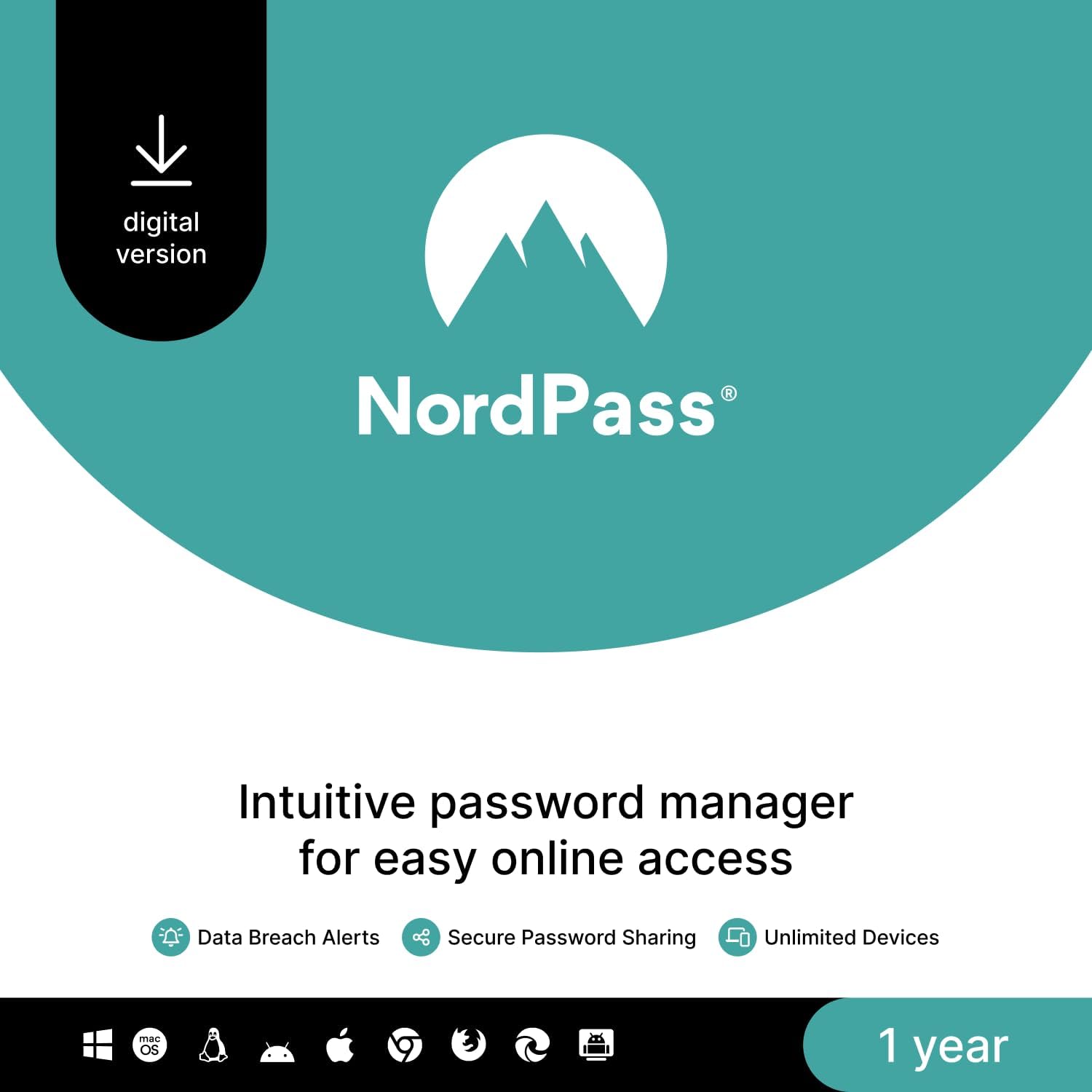
NordPass Premium (1‑year, unlimited devices) is a subscription-based password manager that allows you to securely store and sync your passwords, secure notes, credit card info, and documents across as many devices as you like. It uses zero‑knowledge, end-to-end encryption (XChaCha20) to ensure that only you can access your data. Premium features include a password-health checker to identify weak, reused, or breached passwords, a data-breach scanner, and emergency access for trusted contacts.
Pros
-
Strong security architecture: NordPass uses modern encryption (XChaCha20) and a zero‑knowledge model, meaning your data is encrypted locally before syncing, so even NordPass can’t read your vault.
-
Unlimited device sync: With the Premium plan, you can stay logged in across all your devices, which is very convenient for people who use many different devices.
-
Password health tools: The “Password Health” feature analyzes your stored credentials to highlight weak, reused, or compromised passwords, helping you improve your security over time.
-
Good customer support (in some cases): Some reviewers praise NordPass’s live chat and email support for responsiveness.
-
Reasonable premium pricing: According to Bitcatcha, NordPass offers good value for its premium features, especially compared to competitors.
Cons
-
Performance issues: Several users report that the app (especially the desktop version) can be very slow, with long load times, and that form autofill sometimes fails or mixes up fields.
-
Authenticator / 2FA limitations: Some users note that certain two-factor authentication (2FA) options aren’t available in their premium personal plan.
-
Browser extension problems: According to community feedback, the browser extension doesn’t always work reliably; users sometimes resort to copy/pasting credentials from the app.
-
Clickjacking vulnerability (historical): There was a reported DOM-based clickjacking issue in NordPass browser extensions, though according to public sources this was addressed in a newer version.
-
Risk of losing access: As with any “zero‑knowledge” password manager, if you forget your master password (or lose your recovery key), you may lose access to your entire vault.
-
Customer service complaints: Not all users are satisfied; some say support gives unhelpful responses or that getting a refund can be difficult.
ESET Home Security Premium (2025 Edition)

ESET Home Security Premium is a comprehensive security suite that protects up to five devices (Windows, macOS, Android) for one year. It offers real-time antivirus protection, ransomware shield, webcam protection, network inspection, and anti‑theft features. In addition, it includes a built-in Password Manager for securely storing and autofilling credentials, plus “Secure Data” encryption for files and removable media. The suite aims to balance strong protection with a light performance footprint, giving users control and customization without excessive system lag.
Pros
-
Strong antivirus protection: According to independent tests and expert reviews, ESET delivers solid protection against malware and zero-day threats, with excellent detection rates.
-
Low system impact: Many users and reviewers note that ESET runs efficiently in the background, making it a good choice for users who want protection without slowing their system.
-
Password Manager included: The Premium version bundles ESET’s own password manager, which supports encrypted storage, automatic form-filling, and a master password with 2FA support.
Cons
-
Mandatory ESET HOME account: Several users on Reddit report being forced to create an “ESET HOME” account to use the product fully — some don’t like this for privacy or flexibility reasons.
-
Personal data required at sign-up: There’s at least one report that creating the ESET HOME account required giving a home address and phone number, which raised concerns.
-
Password Manager limitations: While included, the password manager is fairly basic — it lacks many of the advanced features found in standalone premium password managers.
McAfee Total Protection

McAfee Total Protection (3‑Device, 2025) is a multi-platform security suite that brings together antivirus protection, a secure VPN, identity monitoring, a password manager, scam protection, and more — all under one subscription for up to three devices. It is designed to offer comprehensive online defense for PCs, Macs, and mobile devices. McAfee also promises a “Virus Protection Pledge” for active auto‑renewal users: if they can’t remove a virus, you may get your money back.
Pros
-
Comprehensive protection: McAfee includes a solid antivirus engine, web protection, firewall, secure VPN, identity monitoring, and a password manager — making it a full-featured security suite.
-
Identity monitoring: The suite offers dark‑web monitoring for up to 10 email addresses, helping track whether your personal data appears in breaches.
-
Secure VPN: McAfee’s VPN uses AES‑256 encryption, enabling you to browse securely on public Wi-Fi.
-
Virus Protection Pledge: If you’re enrolled in auto-renewal and McAfee fails to remove a virus, there’s a guarantee for a refund on the current term.
Cons
-
Auto-renewal concerns: Many users say auto-renewal is turned on by default, and canceling can be confusing.
-
Resource usage: Some users report that McAfee can be a resource hog, with high RAM usage during scans or background operations.
-
VPN limitations: While the VPN is included, experts have described it as “basic,” with limited advanced features or server options.
-
Privacy policy ambiguity: According to some reviewers, McAfee’s privacy policy is confusing; they collect a lot of data, though say they don’t track user activity when VPN is active.